

How to Reset a Honda Maintenance Minder in Under a Minute
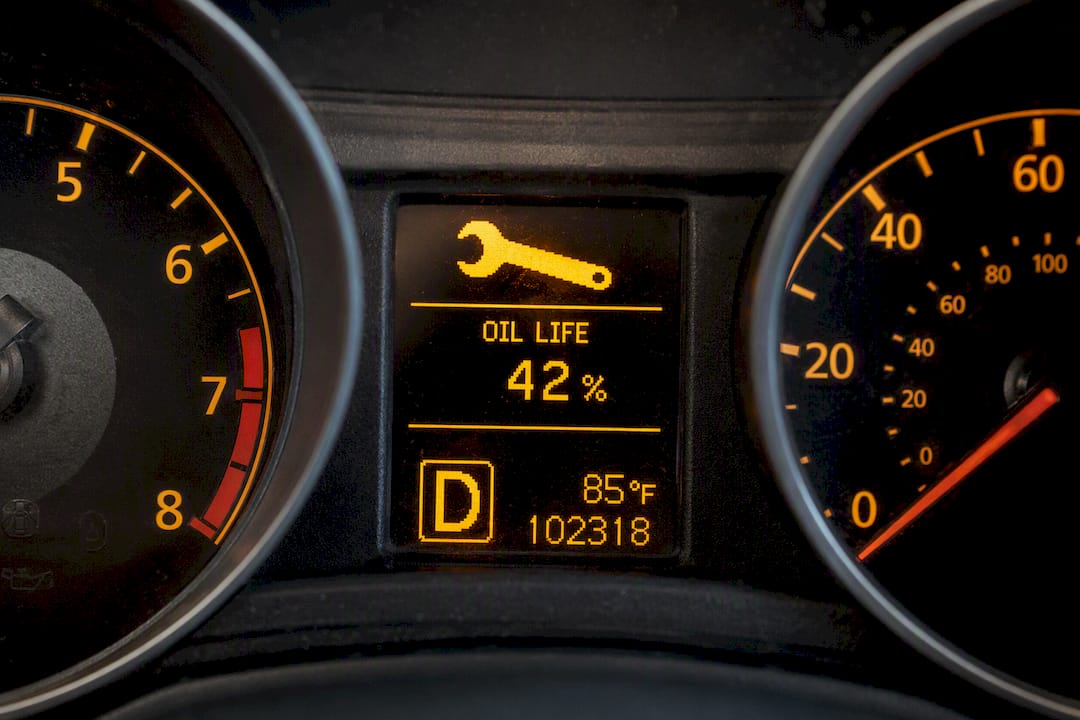
On most Hondas built since 2006, the fastest way to reset the Maintenance Minder is this: with the engine off and ignition ON, find the Engine Oil Life percentage on your dash, then press and hold the Select/Reset knob (or the steering wheel’s ENTER button) until it starts blinking. Confirm the reset, and the oil life should jump to 100% with the wrench icon gone.
If your Honda has a touchscreen, the path is Home → Settings → Vehicle (or Maintenance) → Reset. Choose the item you serviced, or select “All Due Items,” and confirm.
One thing before you touch anything: only reset the system after the actual maintenance has been done. Resetting early just tells the car a service happened when it didn’t, which throws off every interval that follows.
- Steering wheel or knob: press-and-hold until the oil life percentage blinks, then confirm.
- Touchscreen: Home → Settings → Maintenance → Reset → confirm item(s).
- Success looks like: 100% oil life, no wrench icon.
Key Takeaways
Resetting the Maintenance Minder is a bookkeeping step that only works correctly when it follows, not precedes, the actual maintenance service.
| Point | Details |
|---|---|
| Reset after service, not before | Resetting early tells the system false maintenance history and skews future intervals. |
| Match the button hold to your model | Most Hondas need a 10 second press-and-hold in full ignition ON, not accessory mode. |
| Touchscreens use a menu path | Home → Settings → Maintenance → Reset covers 2015 and newer infotainment systems. |
| A lingering wrench means unfinished items | Use “Reset All Due Items” or clear remaining sub-codes individually instead of guessing. |
| Tom’s B & M Auto handles it as standard | ASE-certified technicians reset Maintenance Minder codes and document the service with every visit. |
Table of Contents
- How to Reset Honda Maintenance Minder by Model Type
- Why Won’t My Honda Maintenance Light Reset?
- Why Resetting the Maintenance Minder Correctly Actually Matters
- When to Let a Shop Handle Your Honda Maintenance Minder Reset
- Where to Confirm Your Honda’s Exact Reset Steps
- What Most Reset Guides Get Wrong
- Get Your Honda’s Maintenance Minder Reset Right the First Time
- Frequently Asked Questions
- Sources
How to Reset Honda Maintenance Minder by Model Type
Honda has used three basic reset interfaces since the Maintenance Minder system launched, and which one your car uses depends almost entirely on what kind of dashboard and controls it has. Figure out which category your car falls into, and the rest is copy-and-paste simple.
Steering wheel and instrument cluster models (2006 to present)
This covers the bulk of Hondas on the road, from a 2009 Civic to a 2023 CR-V.
- Turn the ignition to ON (or press Start without touching the brake pedal) but do not start the engine.
- Use the steering wheel’s left selector arrows, or the instrument-cluster SEL/RESET button, to cycle the dash display until Engine Oil Life appears.
- Press and hold the button until the percentage starts flashing.
- Release, then press the button again briefly to lock in the reset. The number should now read 100%.
This press-and-hold sequence comes straight from Honda’s own maintenance minder documentation, which describes rolling the selector wheel to choose either a single item or “All Due Items” before confirming.
Touchscreen infotainment models (2015 and newer)
Hondas with the 7 inch or 9 inch color touchscreen skip the physical buttons entirely and handle the reset through the Maintenance menu in the infotainment system:
- From the Home screen, tap Settings.
- Tap Vehicle or Vehicle Settings.
- Tap Maintenance Info, then Reset.
- Choose All Due Items or select the specific service you completed.
- Confirm. The oil life indicator updates to 100% immediately.
Older models without steering wheel controls
If you’re working with an early-2000s Accord or Civic that has a simple trip knob instead of a digital selector, the sequence is different and a little fussier:
- Turn the ignition fully OFF.
- Press and hold the trip/reset knob (usually on the instrument cluster).
- While still holding it down, turn the ignition to ON, but don’t start the engine.
- Keep holding until the display blinks and resets, then release.
Pro Tip: Accessory mode is not the same as ON. If your dash lights up but the reset button does nothing, you’re probably one click short of full ignition ON, which is the single most common reason this fails on the first try.
Hybrids and EVs, including the Clarity and current Accord Hybrid, still run the same Maintenance Minder logic even though the drivetrain is different. Service items differ (no oil changes on a pure EV, for instance), but the reset mechanics are identical to their gas counterparts, according to model-grouped reset guides covering the full lineup.
Why Won’t My Honda Maintenance Light Reset?
Two mistakes cause nearly every failed reset, and both are fixable in under five minutes without a scan tool.
- Ignition in the wrong position. If you’re in ACC instead of full ON, the system won’t even register the button press. Cycle the key or push-button start again and confirm the dash is fully lit.
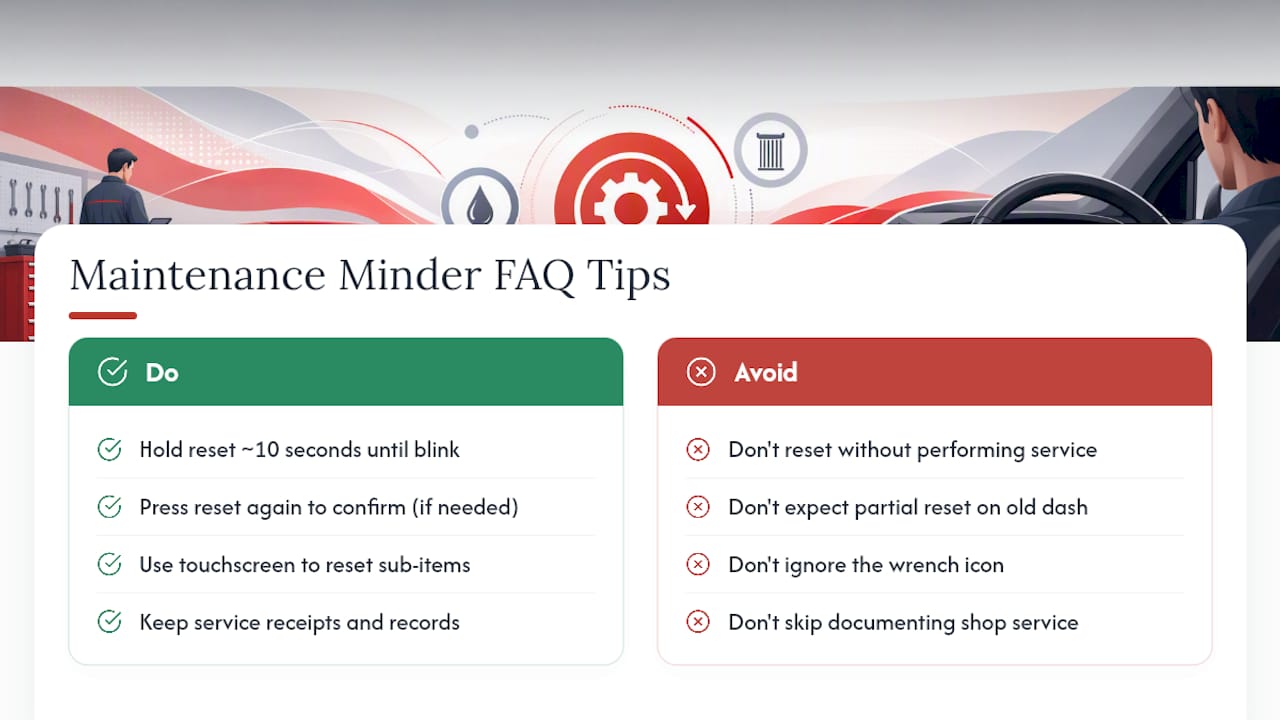
- Letting go too early. The 10 second hold is a minimum, not a suggestion. If you release right as it starts flashing, the reset doesn’t lock in. Repeat the hold, and follow with a second, shorter press (around 5 seconds) if your model requires confirmation.
- Wrench icon stays on after reset. This usually means more than one maintenance item is due. Go back into the menu and select All Due Items instead of a single item, or step through each remaining sub-code individually.
- Some SEL/RESET-only models can’t clear individual codes. A handful of older dashboards will only reset everything at once, which means partial resets aren’t an option. Finishing the remaining service, or having a shop do it, is the only fix.
- Try the other method. If the button sequence isn’t working, check whether your trim also supports a touchscreen reset, or vice versa. Reset failures often trace back to an incomplete multi-step sequence, and switching methods resolves it in most cases.
If the wrench icon won’t clear after trying both approaches, or you can’t get into the maintenance menu at all, that’s your cue to stop troubleshooting and get it looked at.
Why Resetting the Maintenance Minder Correctly Actually Matters
The Maintenance Minder isn’t a mileage counter. It calculates wear based on how you actually drive, engine load, temperature, idle time, and it uses the reset as its data checkpoint. Reset it without doing the work, and Honda’s own documentation warns you’ll get incorrect maintenance intervals going forward, which can mean skipped services and long-term wear you don’t find out about until something breaks.
You don’t need a dealer to keep your car’s history clean. Honda documentation confirms that any qualified shop’s service is warranty-valid as long as you keep the receipts. The habit worth building: reset only the items you actually serviced. Hitting “Reset All” out of convenience when you only changed the oil erases data on other components that may still need attention.
When to Let a Shop Handle Your Honda Maintenance Minder Reset
If the wrench icon won’t clear, multiple codes are stacked up, or you just want the whole thing documented properly for warranty purposes, that’s the point to stop pressing buttons and bring the car in.
- A qualified technician confirms exactly which sub-items were completed before touching the reset, so nothing gets cleared prematurely.
- They’ll scan for stored trouble codes at the same time, since a lingering wrench icon sometimes points to something beyond routine maintenance.
- Your service records get updated on the spot, which matters if you ever need to prove maintenance history for a warranty claim.
At Tom’s B & M Auto in Lynnwood, our ASE-certified technicians handle Maintenance Minder resets as a standard part of every service, backed by professional-grade OBD-II diagnostics and a 24-month/24,000-mile warranty on the work performed. If you’re not sure whether your Honda has other codes waiting, we also run a free digital vehicle inspection that catches issues before they become expensive ones.
Pro Tip: When you book service anywhere, ask specifically for the Maintenance Minder reset and a written record of what was done. It takes the technician thirty seconds and saves you a headache if you ever need proof for a warranty claim.
Where to Confirm Your Honda’s Exact Reset Steps
Menu wording and selector names vary slightly by model year, so it’s worth double-checking your specific vehicle before you start.
- Your owner’s manual’s Maintenance Minder section lists the exact button names for your trim and year.
- Honda’s techinfo documentation covers the full reset procedure in manufacturer language.
- Keep your service receipts. They’re your proof of maintenance if a warranty question ever comes up.
What Most Reset Guides Get Wrong
Most instructions treat the reset as the important part. It isn’t. The reset is a two-second confirmation step; the maintenance itself is what actually protects the engine. I’d argue the more useful habit is resetting only what you serviced, not hitting “Reset All” out of laziness, because that single shortcut is what erases the system’s memory of components that still need attention.
The other thing conventional advice underplays: dealer service isn’t required to keep your Maintenance Minder data trustworthy. What matters is documentation. A shop that resets the correct item and hands you a written record protects you exactly as well as a dealer would, and often faster. If there’s one thing I’d tell a Honda owner staring at a blinking oil life percentage, it’s this: don’t rush the reset, rush the maintenance. The button press takes ten seconds either way.
Get Your Honda’s Maintenance Minder Reset Right the First Time
If you’d rather skip the button-holding and menu-hunting altogether, Tom’s B & M Auto handles the reset as part of every service visit, no extra step, no guesswork about which sub-item to clear.
We’ve been working on Honda, Toyota, Subaru, and domestic vehicles in Lynnwood since 1985, and our ASE-certified technicians pair every maintenance job with professional-grade OBD-II diagnostics and a 24-month/24,000-mile warranty on the work. That means if your wrench icon won’t clear or you’re not sure which sub-items are actually due, we’ll scan the system, confirm what’s outstanding, and reset only what was completed, then hand you documentation you can keep for warranty purposes.
Same-day appointments are often available, and if you want a second opinion before committing to repairs, our free digital vehicle inspection is a solid place to start. Book your Honda’s next service with us and let the reset be the easy part.
Frequently Asked Questions
How long do I need to hold the reset button on a Honda?
Most models require about 10 seconds until the oil life percentage starts blinking. Some also need a second, shorter press afterward to lock in the confirmation.
Can I reset the Maintenance Minder without doing the service?
You can physically do it, but you shouldn’t. Honda’s documentation is clear that resetting without performing the actual maintenance gives the system false data and can lead to missed services down the road.
Does resetting individual items work on every Honda?
No. Touchscreen models generally let you reset specific sub-items or all of them at once. Some older SEL/RESET-only dashboards can only clear everything together, so partial resets aren’t always possible.
Will a non-dealer shop’s reset count for my warranty?
Yes, as long as the service is documented. Keep your receipts and maintenance records, and any qualified shop’s work is warranty-valid.
What does it mean if the wrench icon won’t go away?
It usually means another maintenance item is still due. Go back into the menu and select “All Due Items” instead of a single item, or reset the remaining sub-codes one by one.
Sources
- 2022 Accord maintenance minder (Honda owner documentation)
- To Use Maintenance MinderTM (Honda owner’s manual techinfo excerpt)
- How to reset the maintenance minder & oil life — grouped methods (IdyCar)
Recommended
- How to Reset Service Maintenance Light: Car Owner Guide – Tom’s B & M Auto Blog
- Common Honda Repair Needs: Your 2026 Owner’s Guide – Tom’s B & M Auto Blog
- Honda Repair in Alderwood Manor, WA | Tom’s B&M Auto
- Check Engine Sign in Car: What to Do Right Now – Tom’s B & M Auto Blog
Leave a Reply